Setting a Tax Rate on a Property
Setting a tax rate on a property ensures the correct tax is automatically applied every time you create an invoice or estimate for that location. This is especially useful if you service properties in different counties or states with different tax rates.
Note: Property tax rates override your default tax rate. If a property has a tax rate set, LawnPro will use that rate instead of the default. See our Setting Up Your Tax Rates article to set up your tax rates first.
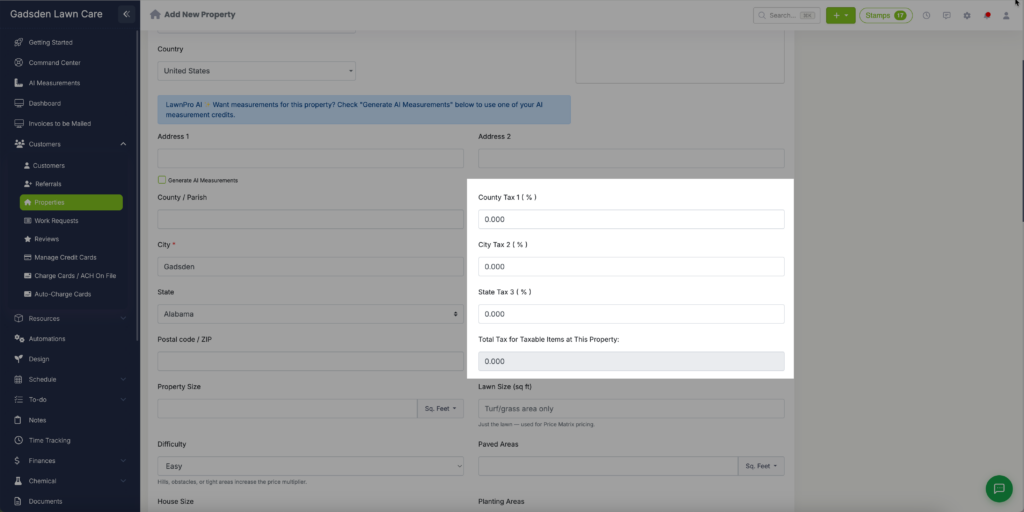
Setting a Tax Rate When Adding a New Property
- Go to the Customer Tab → Properties
- Click Add New Property
- Fill in the property address
- Find the Tax field and select the appropriate tax rate for that property’s location
- Save the property
Setting a Tax Rate on an Existing Property
- Go to the Customer Tab → Properties
- Find the property you want to update
- Click the pencil icon to edit the property
- Find the Tax field and select the appropriate tax rate
- Save the property
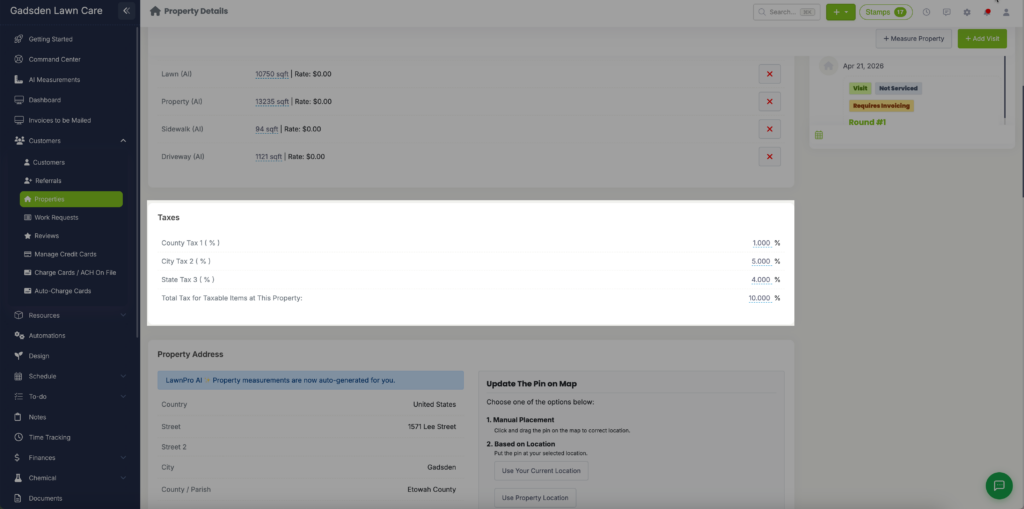
Once saved LawnPro will automatically apply that tax rate to any new invoices or estimates created for that property.