Whether a customer moves, gets a new phone number, or you just need to update their billing information — keeping your customer profiles up to date in LawnPro is quick and easy. In this video we’ll walk through how to edit a customer profile and everything you can update from there.
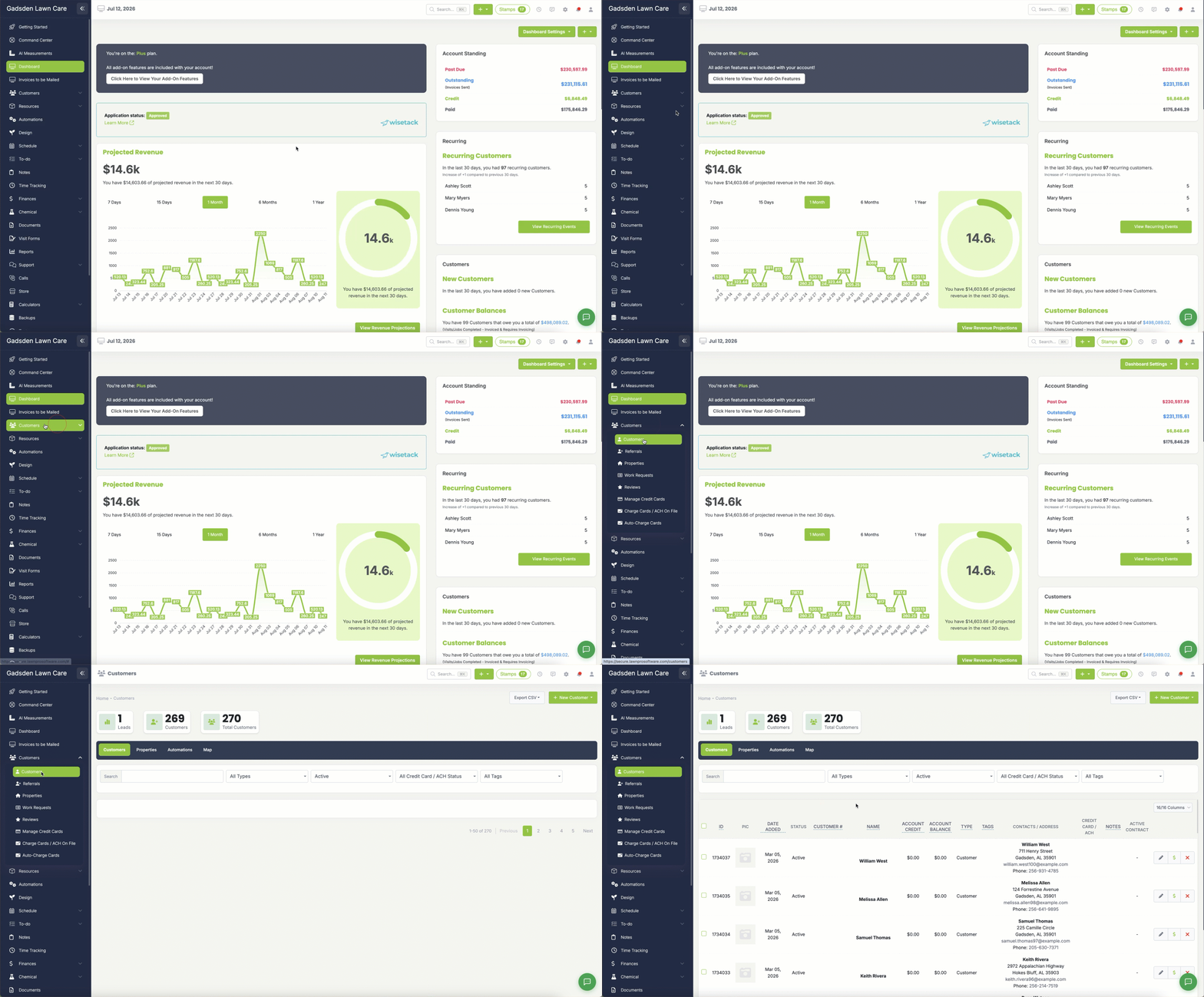
To edit a customer click the “Customers” tab and click “Customers“
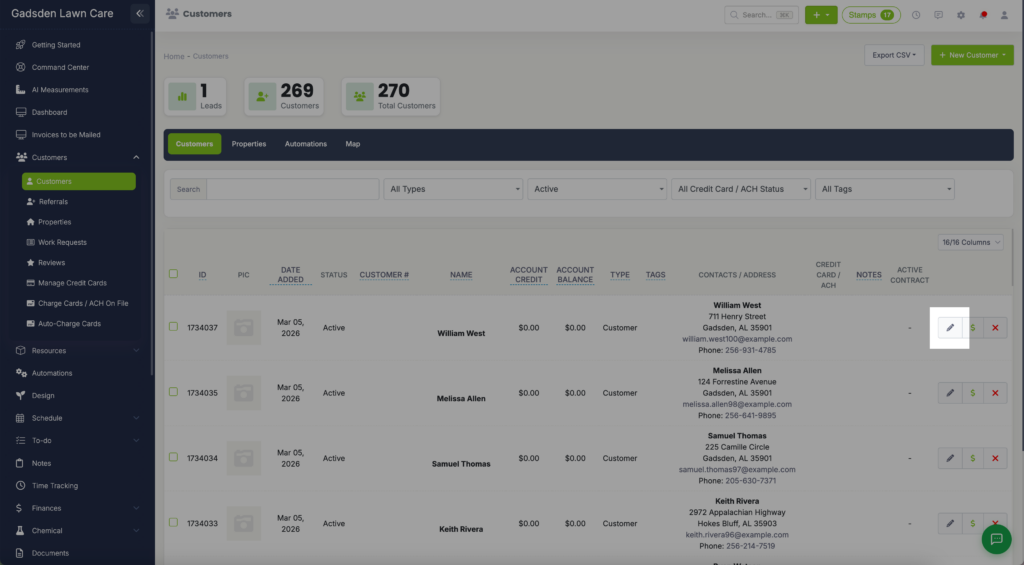
Find the customer you want to edit. You can use the search bar at the top to type their name and narrow down the list quickly. Once you find them, click the pencil button on their row to open their profile for editing.
Once you are on the customer’s profile you will be able to edit their information, settings, view their invoices and payments, add payments, and much more.