Table of Contents
Overview
The Quick Dispatch feature can be used in a few different ways and is great for snowplow companies who need to add a constantly changing group of customers to their schedule in an instant to get their crews dispatched quickly.
Quick Dispatch has two parts: Quick Dispatch Templates, where you build a reusable group of properties, and Quick Dispatch, where you actually load a template (or properties directly) and add the visits to your schedule. Both live under the Quick Dispatch dropdown on your Schedule tab.
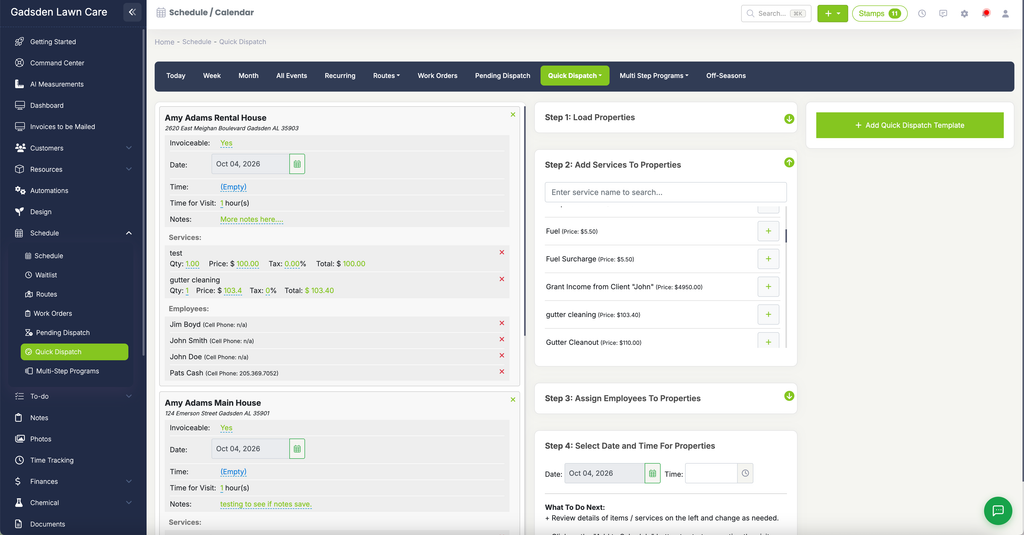
Ways to Use Quick Dispatch
- Use it as a “multi-add” where you can add several visits to your schedule at one time.
- Create groups of customers that need the same services so you can quickly add them to your calendar on any given day.
- Create a group of customers that live in the same area and would be on the same route, so you can add the whole route of visits to any day quickly.
To create a template, see Create a Quick Dispatch Template. To use a template you’ve already made, see Using Quick Dispatch.