Setting a Tax Rate on an Item or Service
You can assign a tax rate directly to an item or service so it is always taxed correctly regardless of which property or customer it is used for. This is useful if certain services are taxable and others are not.
To access these settings go to Resources → Items & Services and add a new item or edit an existing one. Scroll down to the Options section.
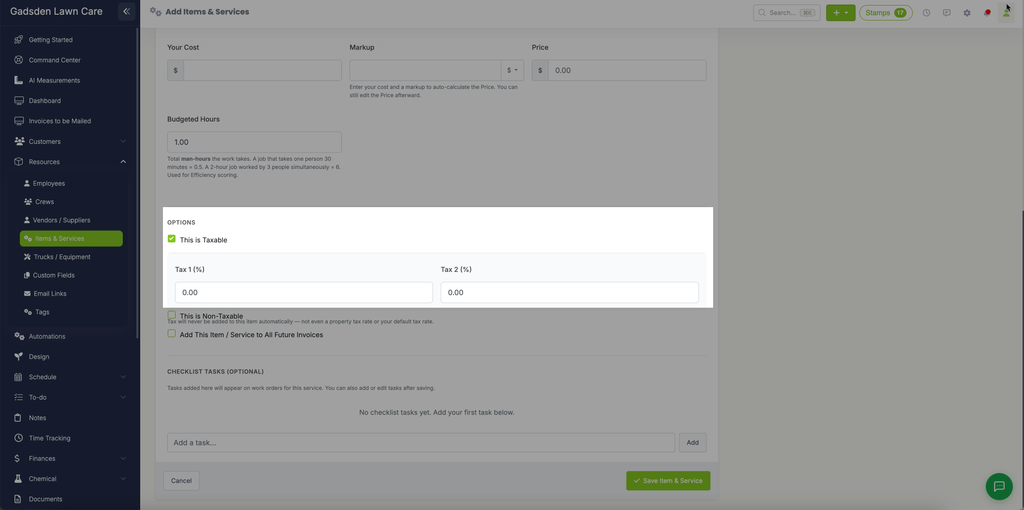
This is Taxable
Check the This is Taxable box if this item or service should be taxed. Once checked you can enter up to two tax rates:
- Tax 1 (%) — Enter your primary tax rate as a percentage
- Tax 2 (%) — Enter a secondary tax rate if applicable (for example a state tax and a county tax)
This is Non-Taxable
Check the This is Non-Taxable box if this item or service should never be taxed. When this is selected tax will never be added to this item automatically — not even a property tax rate or your default tax rate.
Note: The tax rate set on an item or service works alongside your property and default tax rates. If you are unsure which tax rate takes priority see our Setting Up Your Tax Rates article for more information.