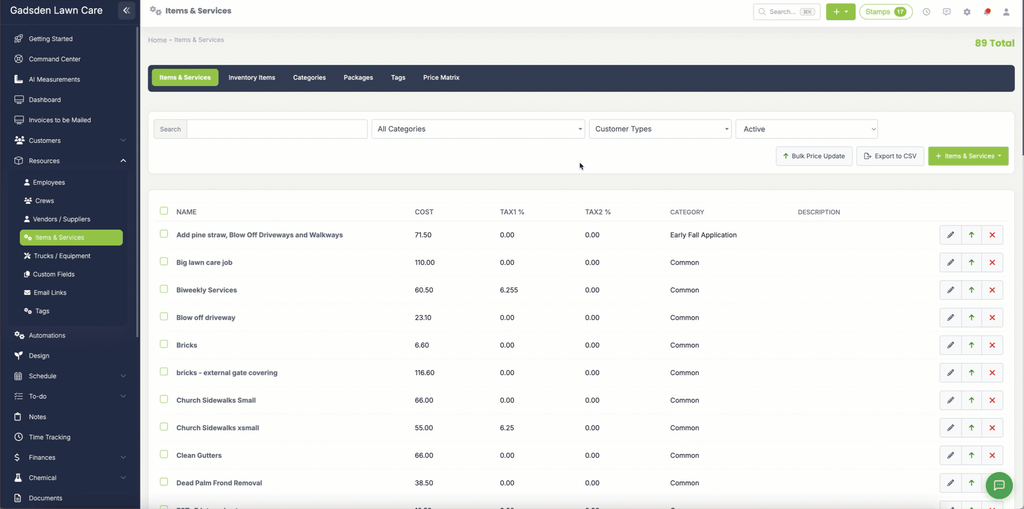
Delete or Restore an Item or Service
If you no longer offer an item or service you can delete it from LawnPro. If you delete one by mistake you can also restore it.
Note: Be careful when deleting items or services that are currently being used on estimates, invoices, or recurring visits. You may want to review where the item is being used before deleting it.
How to Delete an Item or Service
There are two ways to delete an item or service:
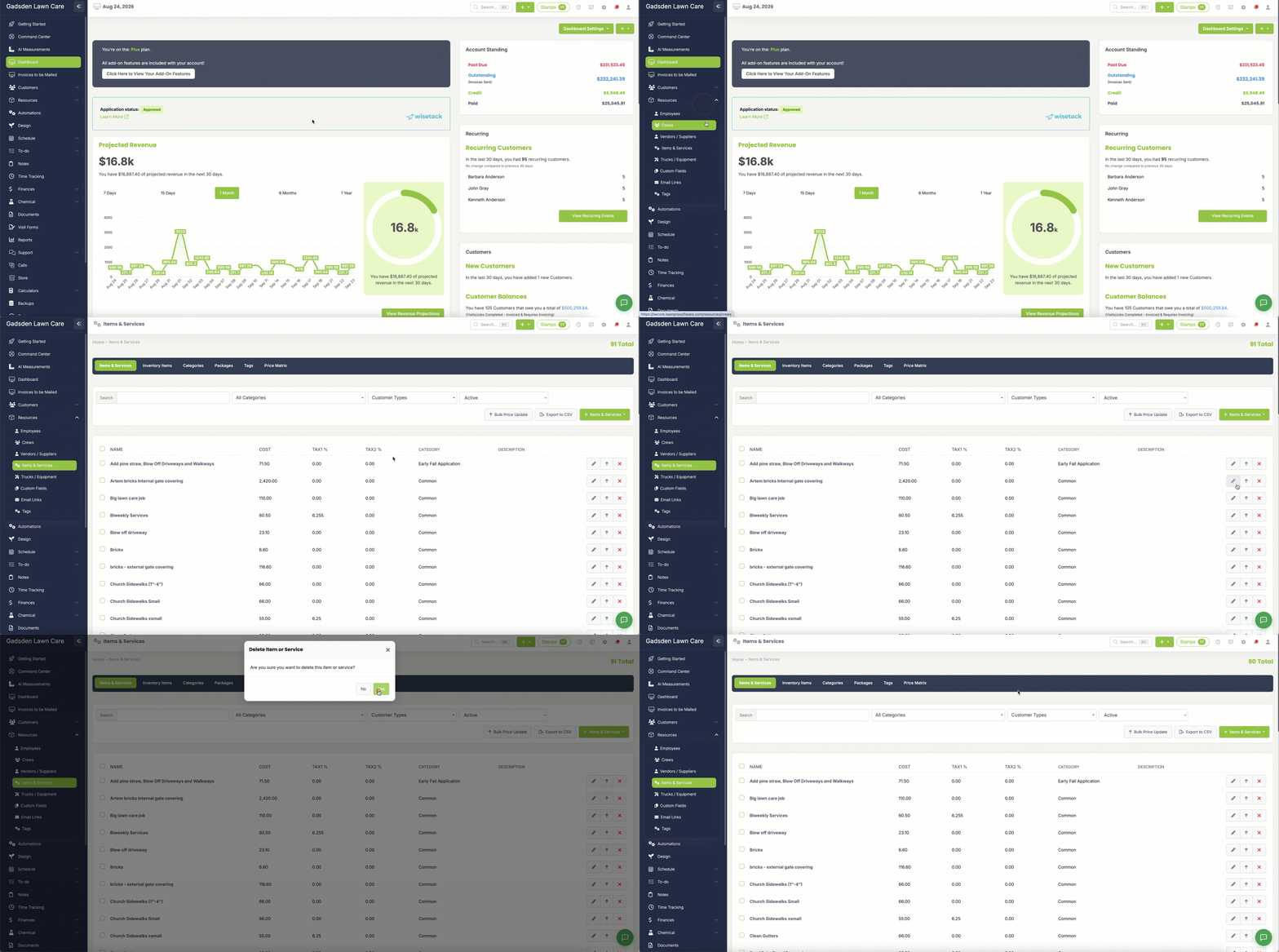
Option 1 — Delete Using the X Button
- Go to Resources → Items & Services
- Find the item or service you want to delete
- Click the red X button on the right side of the row
- Confirm when prompted
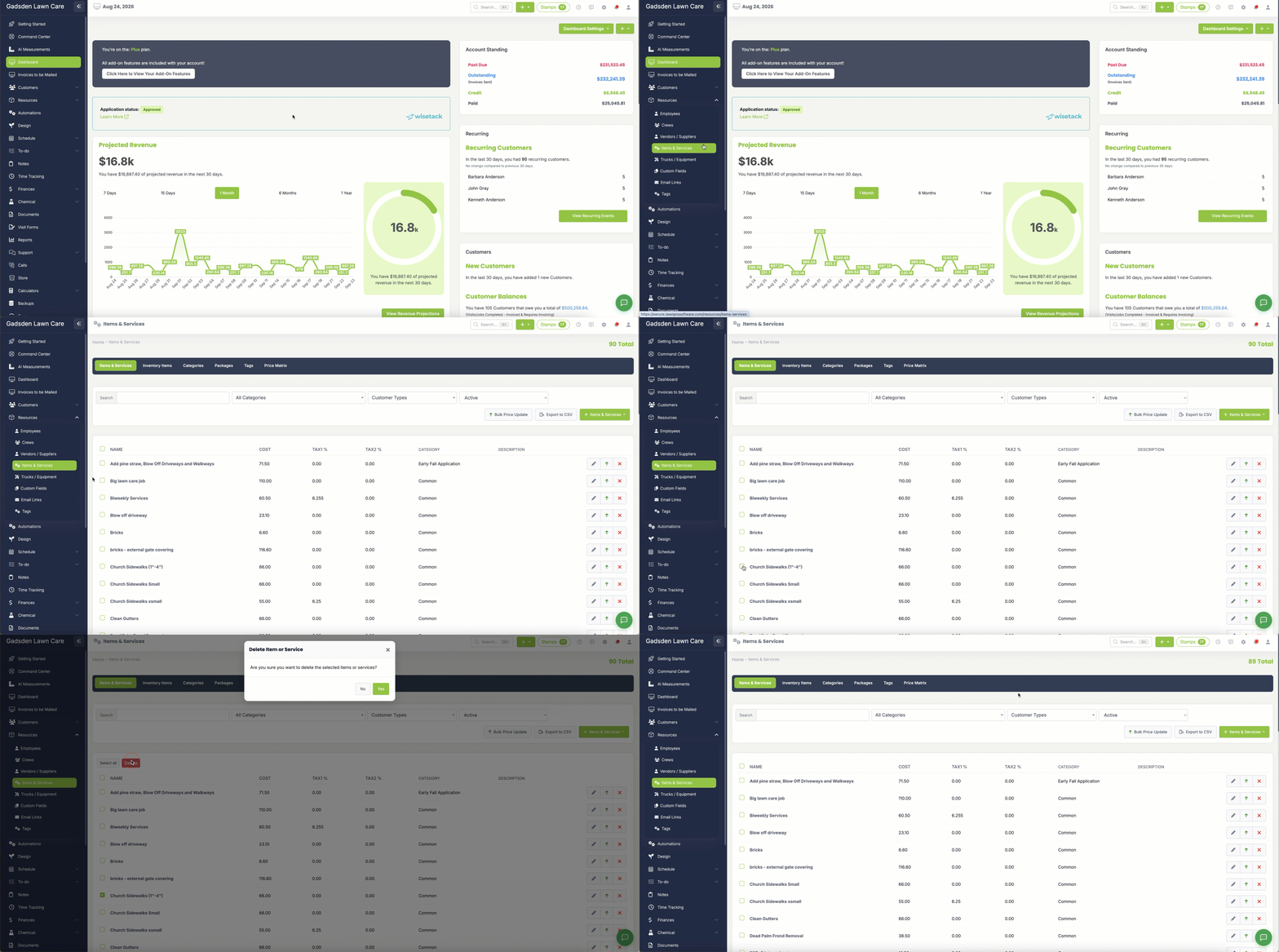
Option 2 — Delete Using the Checkbox
- Go to Resources → Items & Services
- Check the box next to the item or service you want to delete
- The action buttons will appear at the top of the list
- Click Delete
- Confirm when prompted
You can also select multiple items at once using the checkboxes and delete them all in one step.
How to Restore a Deleted Item or Service
- Go to Resources → Items & Services
- Change the filter to Deleted to show all deleted items and services
- Find the item or service you want to restore
- Click the Restore button next to it
The item or service will be restored and will appear back in your active list.